
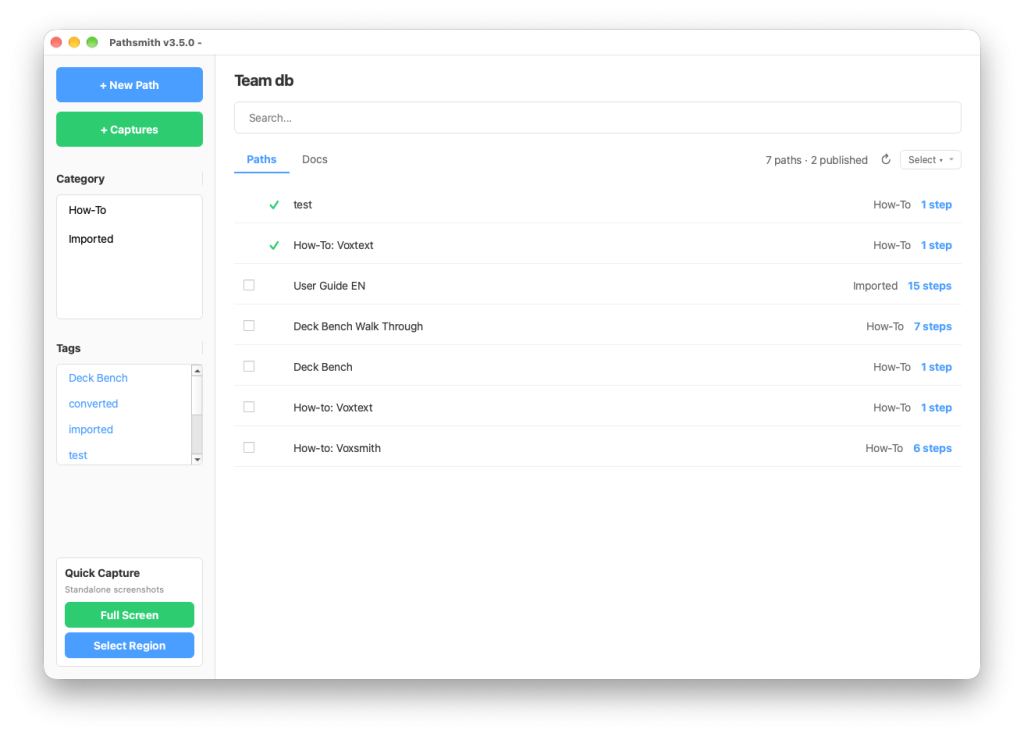
Time to kick off the blog with the next app coming out of the shop, hopefully shortly after the new year. Pathsmith.
I’ve been making how-tos for a living for more than thirty years. Training decks, quick reference cards, Word docs full of screenshots that shift every time somebody breathes on them. Before that, and honestly alongside it, I spent twenty-plus years in restaurants, where nobody reads the manual and everybody still needs to know how to close out the register. The short version: I’ve seen a lot of documentation, and most of it is a pain to make and worse to keep current.
So I built Pathsmith. It’s a desktop app for Mac and Windows that helps you build step-by-step how-tos. I call them paths. You grab a screen, mark it up with arrows, boxes, callouts, and a blur for anything nobody else should see, then write what to do in plain words. Step, screenshot, step, screenshot. That’s it. It’s the thing I wanted every single time I opened PowerPoint to make yet another job aid.
Here’s the part I’m proudest of: nobody has to start from zero. You’ve probably got a folder full of old PowerPoint decks and Word docs that still mostly work. Pathsmith converts them into paths, one at a time or a whole batch at once, so the stuff you already have turns into stuff you can actually edit. It’s not rip-and-replace. It’s more like cleaning out the garage and finding out half of it is still good.
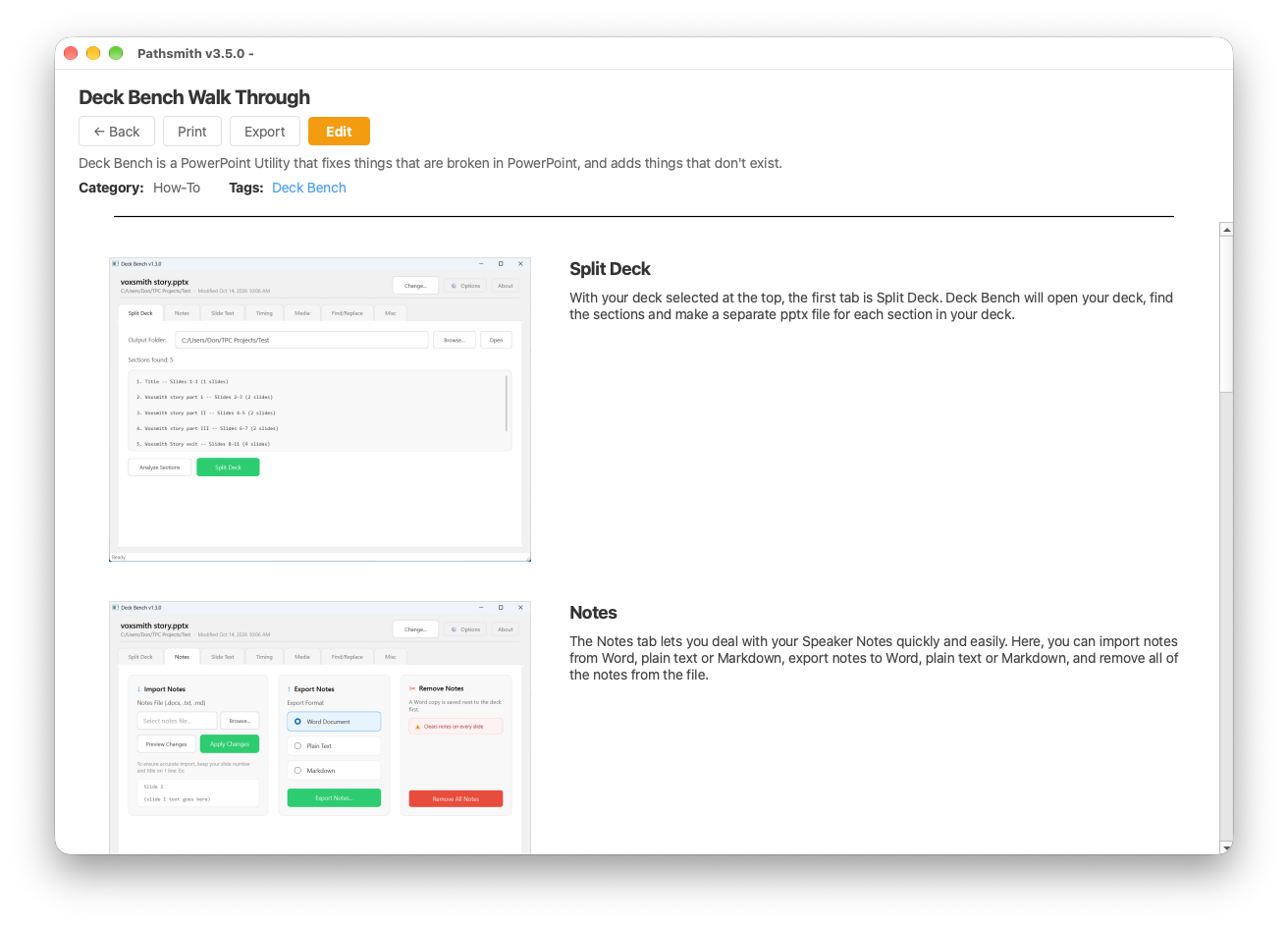
Getting a path in front of people matters just as much as making it. Pathsmith exports HTML that pastes cleanly into the places a lot of teams already live, like Confluence, SharePoint, and WordPress, and you pick how big the images come out. It also does Markdown, PDF, and a Confluence format. There’s a capture library that keeps your screenshots handy, and yes, you can paste straight in from the clipboard. If your team wants to share, point Pathsmith at a shared folder and publish there. If you don’t, it stays out of your way.
Pathsmith came out of my real day job, not a whiteboard. A team is piloting it right now, and their feedback has shaped a lot of what’s in it. I’m not a developer by trade, but I know what good training material needs, and I built the tool I kept wishing someone else would. If you make how-tos, or you’re the person everybody asks “how do I do this again?”, I’d love for you to take a look. Leave a comment or [use the form](/contact) if you are interested.