
Voxtext
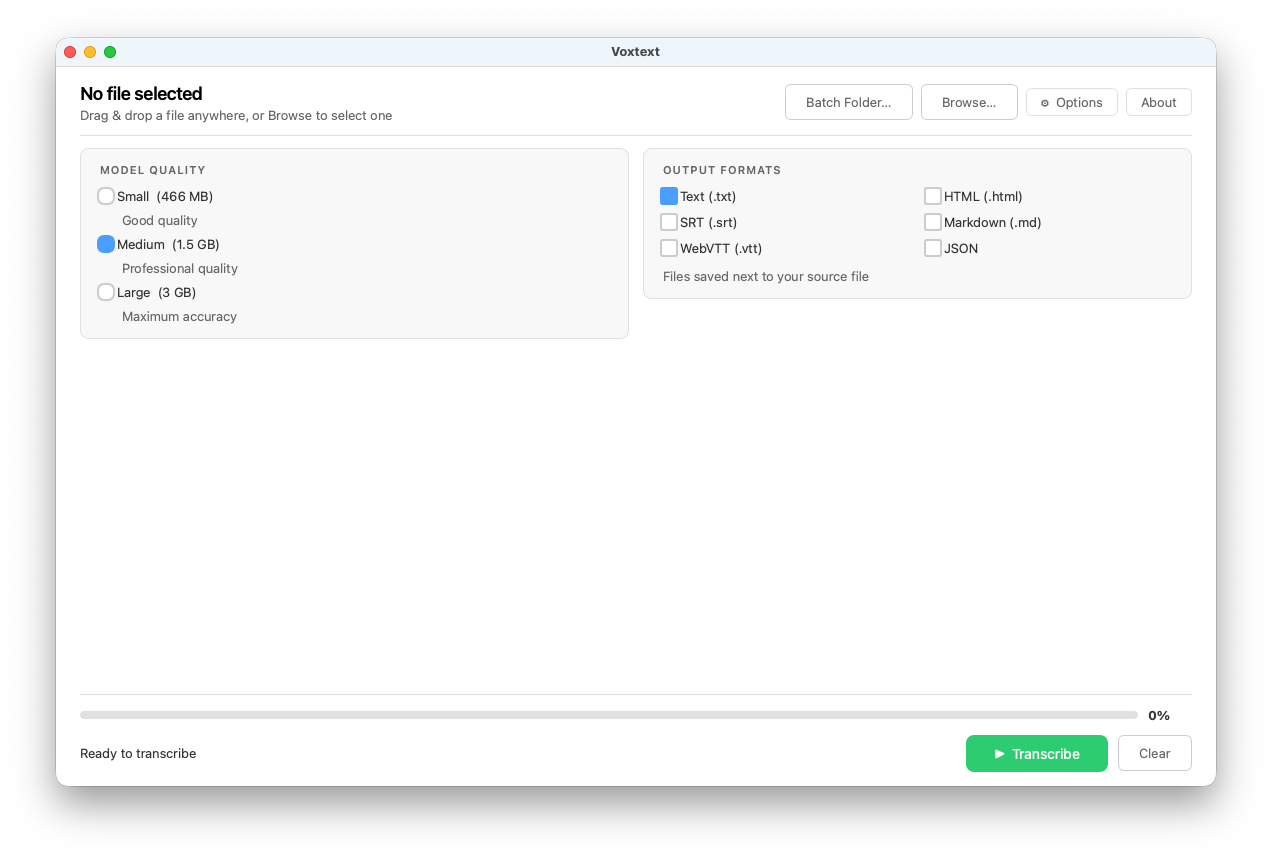
As an L&D professional working for a multinational company, I needed a reliable way to generate transcripts for our eLearning videos. There are plenty of tools that claim to do this, but most were either too expensive, too complicated, or just didn’t work the way I needed them to.
So I built Voxtext.
Voxtext uses OpenAI’s Whisper, running entirely on your local machine, to convert your audio or video files into text, .srt, .vtt (including styling cues), HTML, Markdown, and JSON. Because everything happens locally, your files never leave your computer, no API key or subscription required.
Best of all, it’s free. Those download buttons below are real.
Using Voxtext is simple. Drag in your file or folder, choose a Whisper model size (Medium is a good balance of speed and accuracy), select your output format, and click Transcribe.
Processing speed depends on your hardware, but on a modern Windows laptop an hour of video can typically be transcribed in about 30 minutes. Output files are delivered next to the source file, so they are always easy to find!
Download Windows | Download Mac
Voxtext Translation Manifest Delivery
Voxtext 1.8 now supports Translations Manifest Delivery. More details can be found here.
